 STILLPAD
Stillpad for iPhone Duo.
Pads on one side, drums on the other.
Open the foldable iPhone and the Live screen splits at the fold: key grid, swell and PANIC on the left half of the inner display, the Groove drum pads on the right. Close it and the outer display gets a layout of its own.
BUILT FOR IPHONE DUO · STILLPAD 1.1 · AVAILABLE NOW
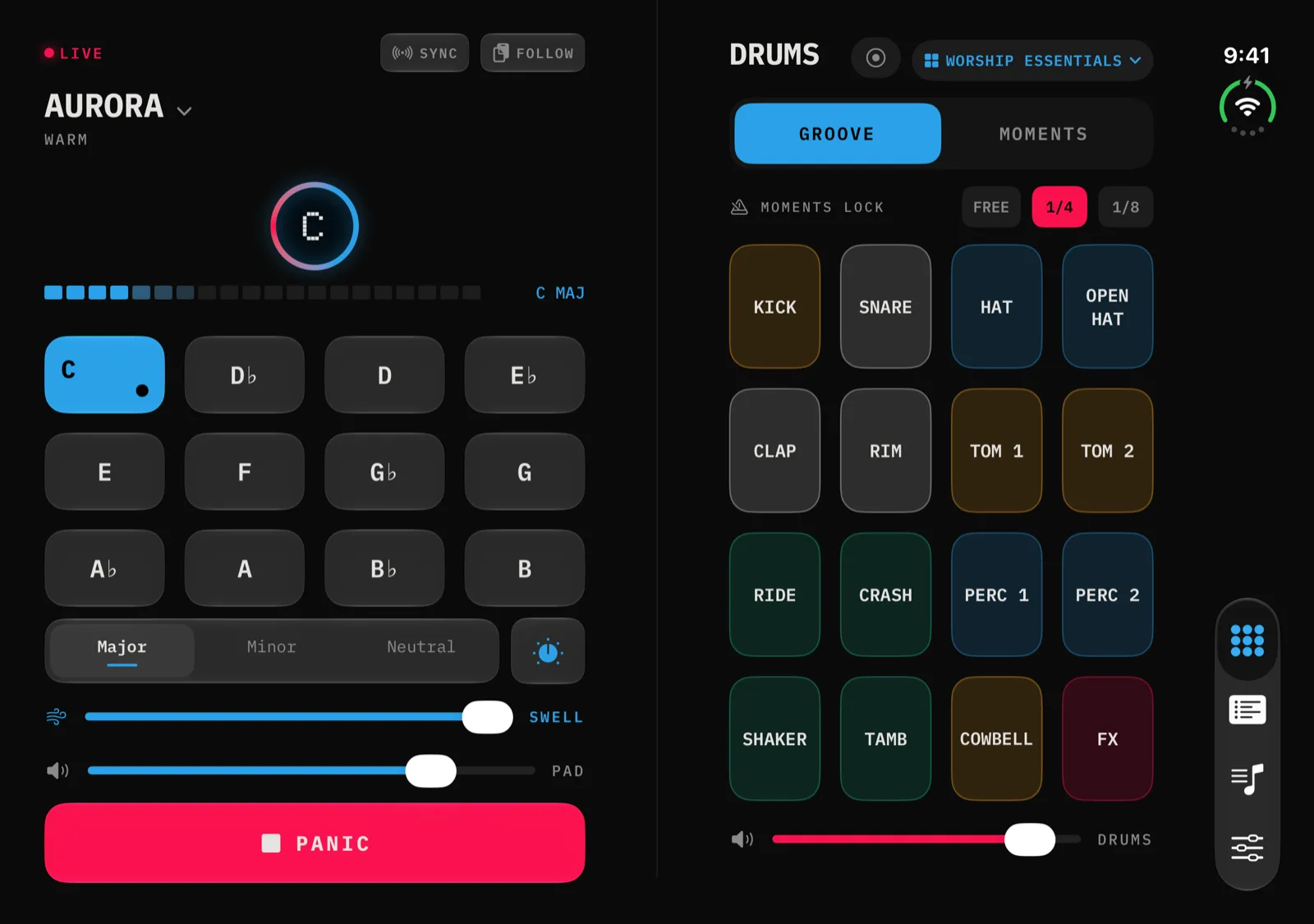
The whole stage on one spread.
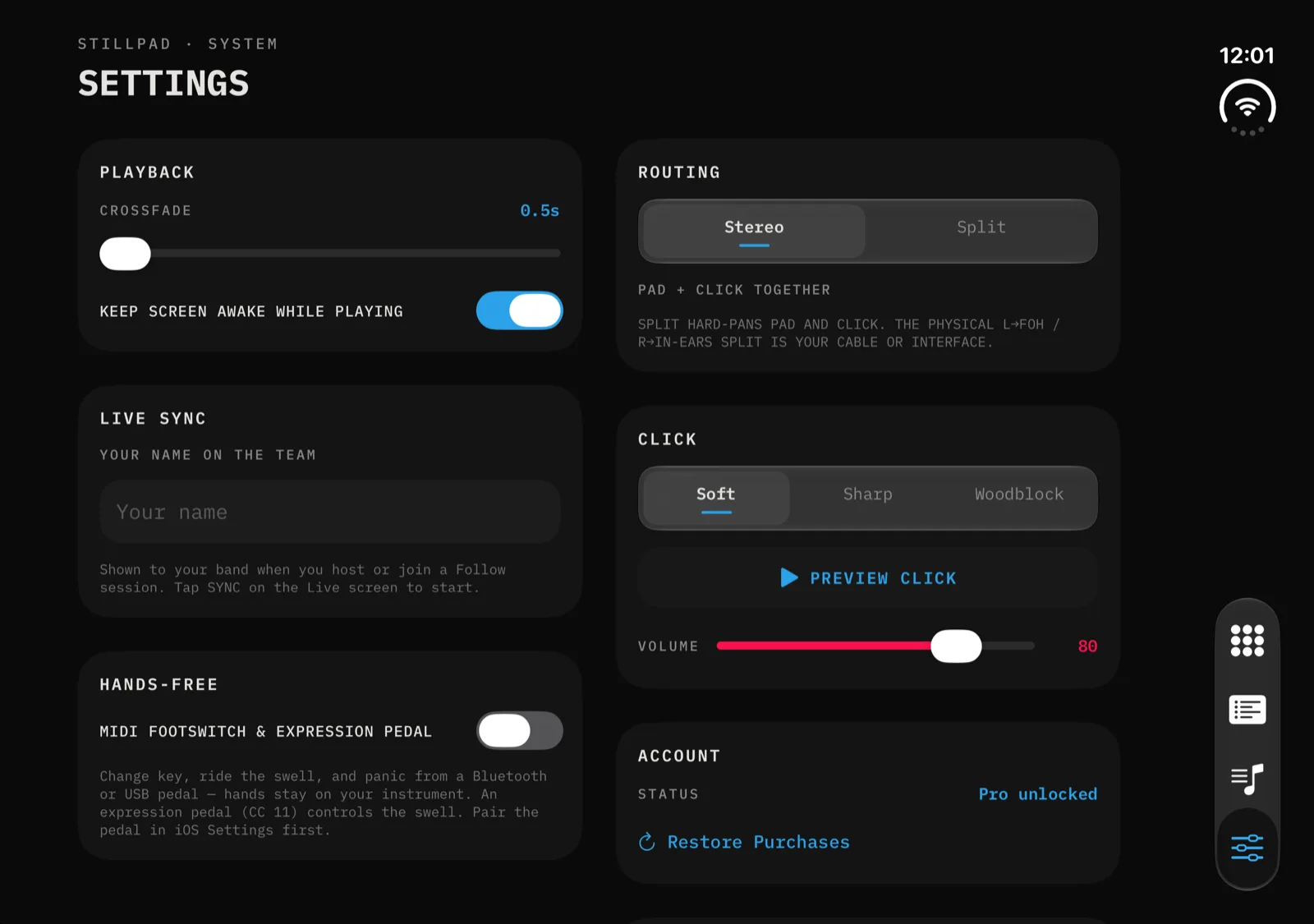
On the Duo's inner display Stillpad doesn't stretch a phone screen across the fold. Each screen uses both halves, and the seam sits on the fold, so nothing you tap lands on the hinge. In landscape the tab bar moves to the side edge.
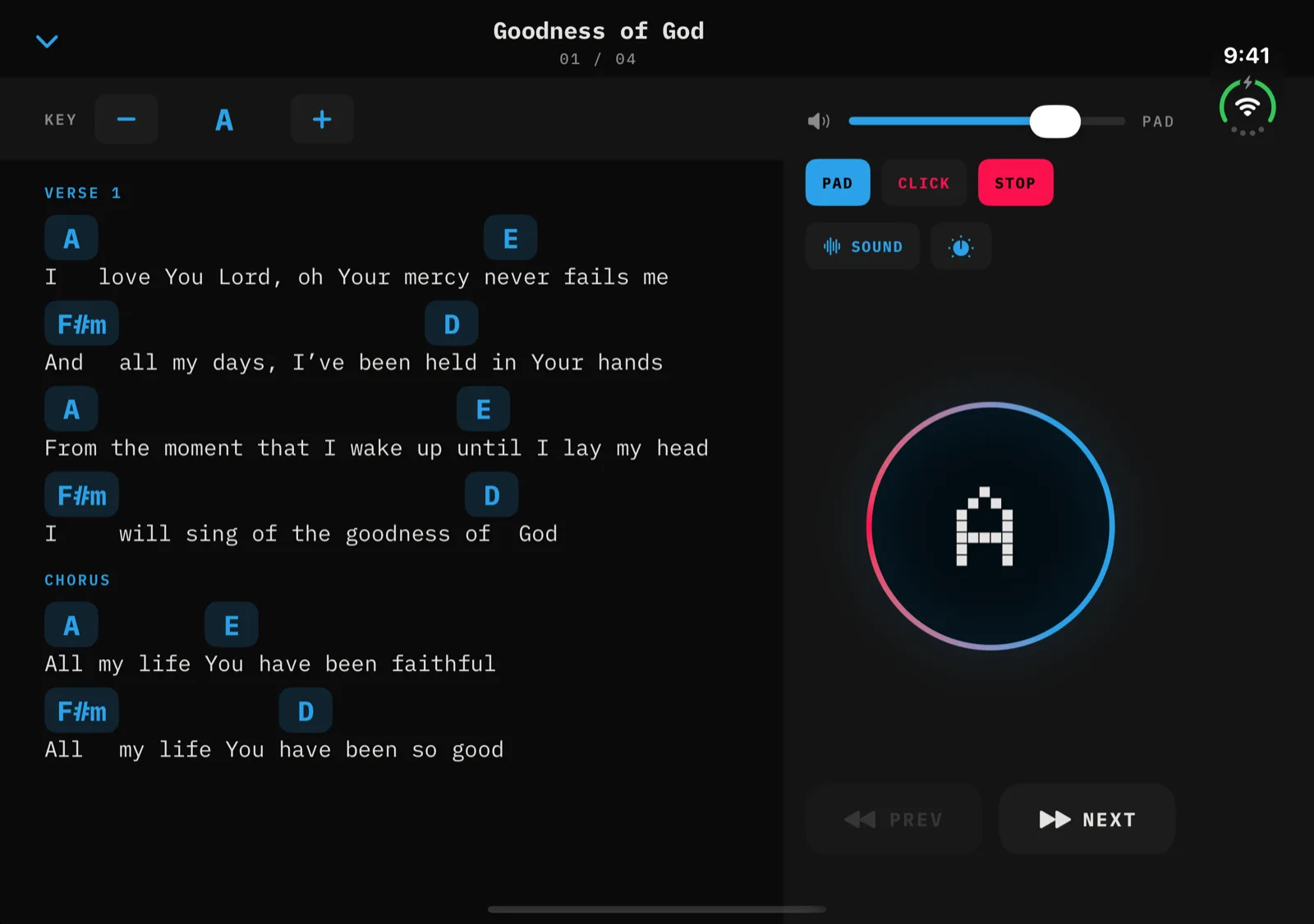
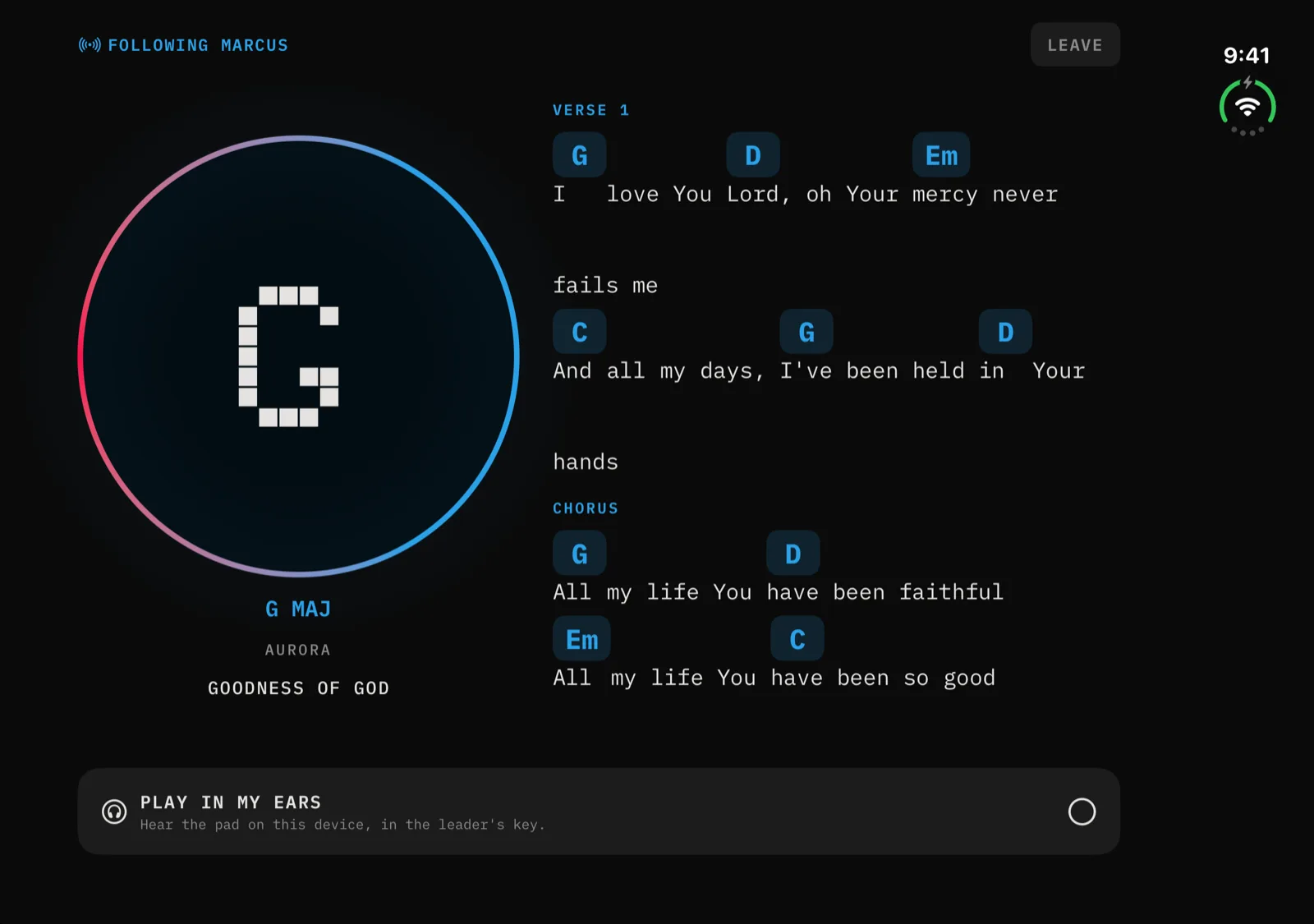
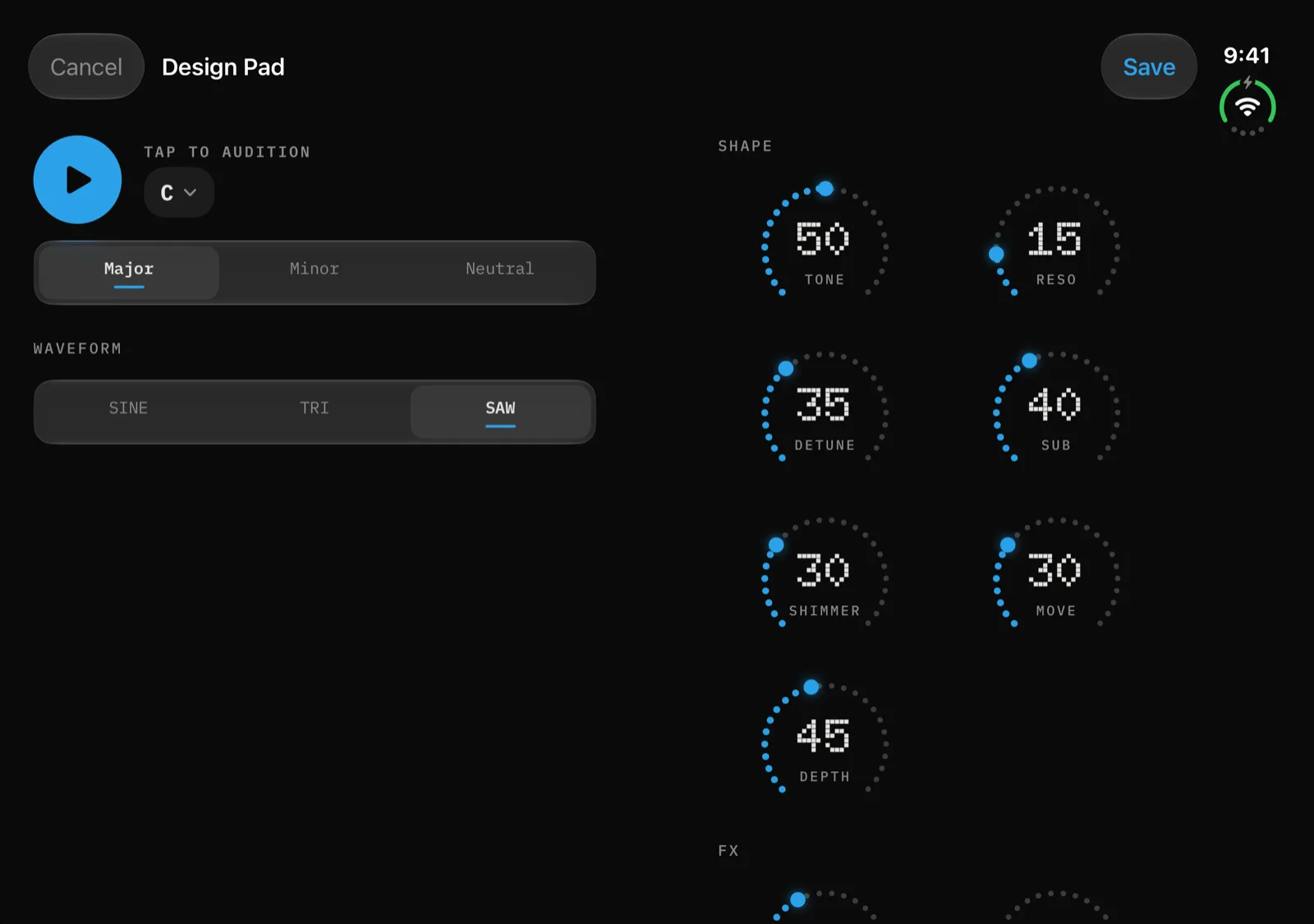
Stand it up on the music stand.
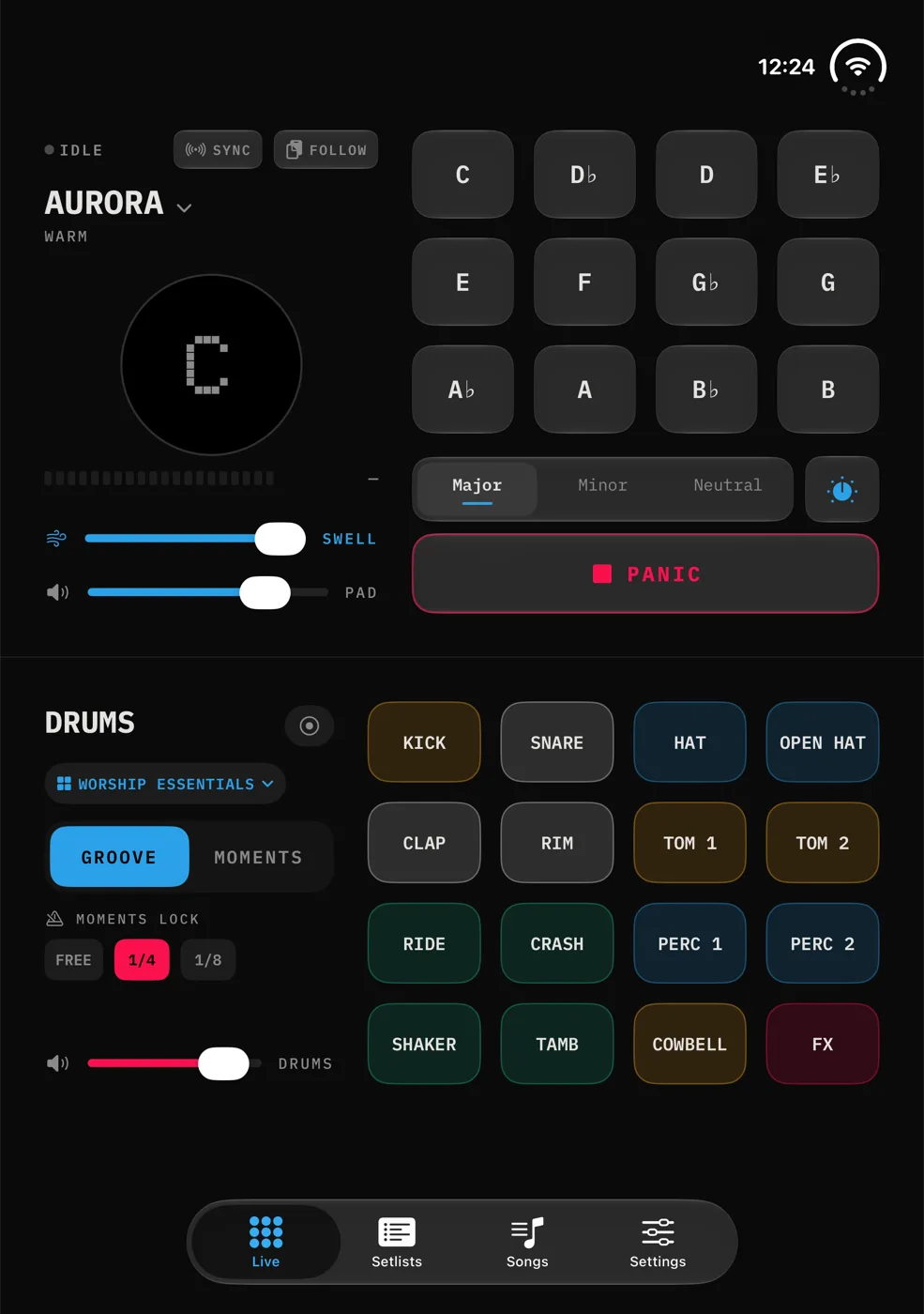
Fold the Duo partway and set it down like a small laptop. Stillpad puts the pad on the upper half and the drums on the lower half, with the split on the fold.
Held like a half-open book, the split stays on the fold the same way, and the controls stay clear of it.
Folded shut, still ready.
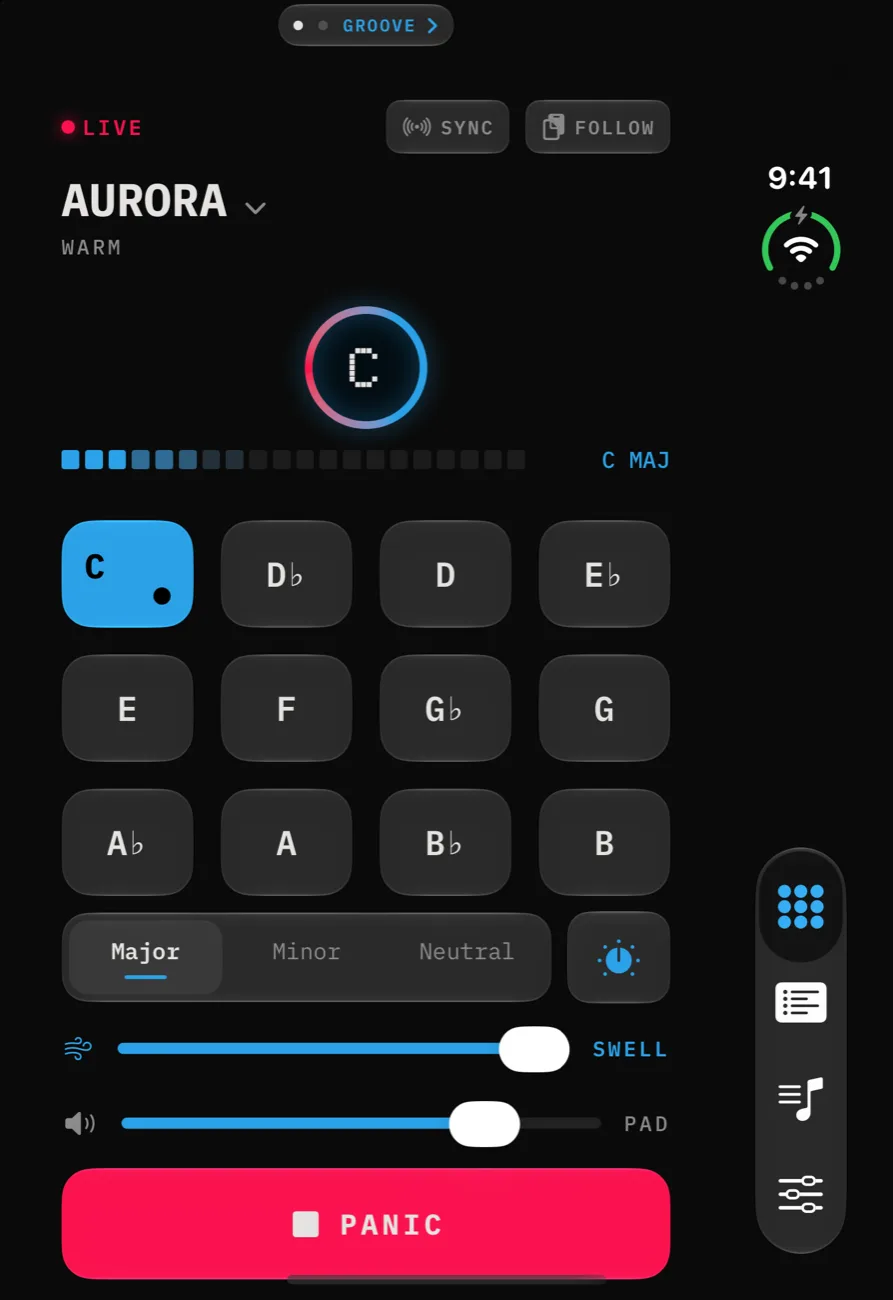
Closed, the Duo's outer display is a narrow phone screen. Live stays a two-page pager: the pad page first, Groove a swipe away. Every key, both sliders and PANIC fit on screen, and the tab bar runs down the side.
Turn the closed Duo sideways and Live, Groove and Perform switch to wide layouts.
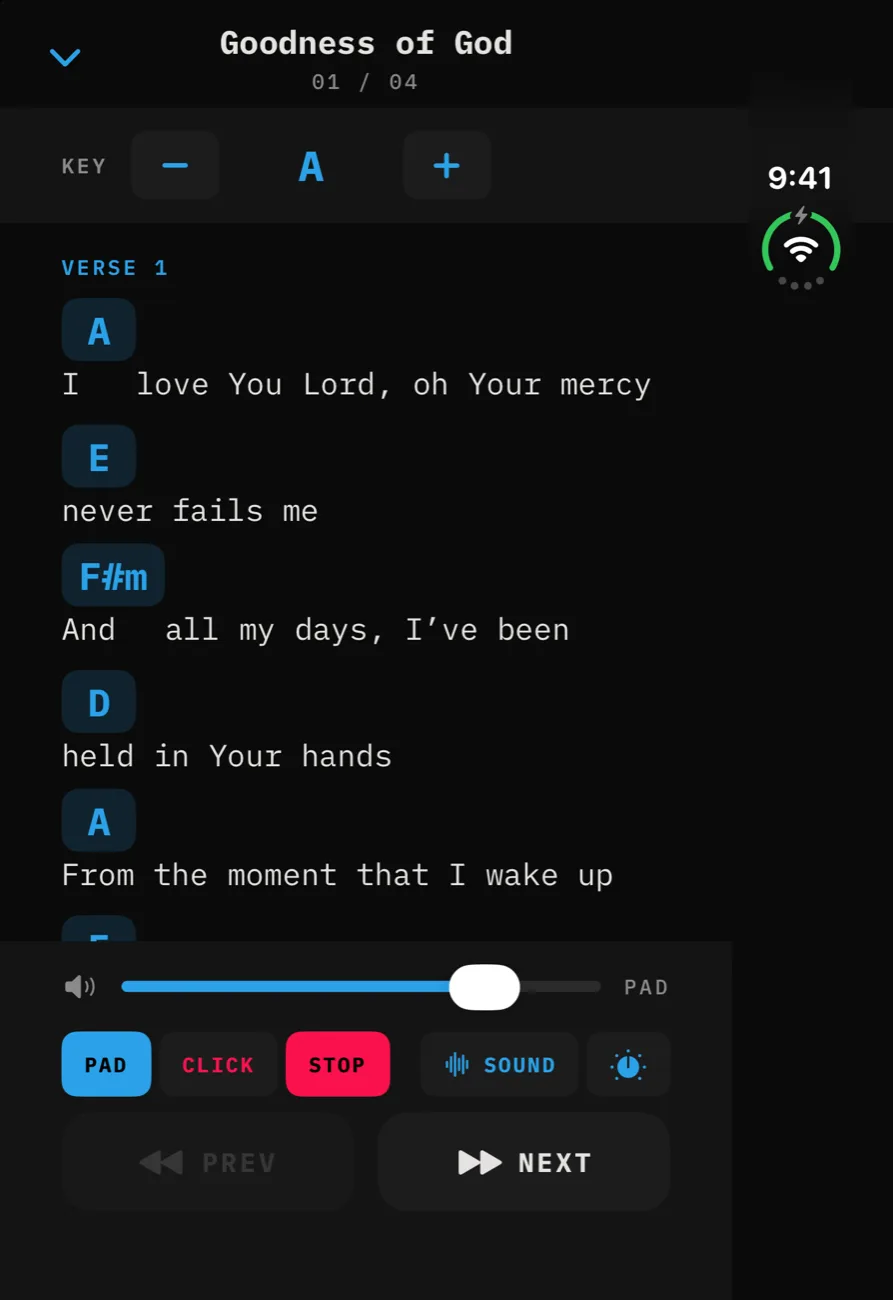
The layout follows the fold.
Stillpad picks each layout from the space it actually has, not from the name of the device. On iPhone Duo that means:
- The seam goes on the fold. Stillpad asks iOS where the fold is and puts the split between pad and drums right on it. The seam is a hairline inside a 40-point gap, with no buttons on the hinge.
- Each half lays itself out. The pad half and the drum half each choose a tall or wide arrangement for their space. Key tiles never shrink below 56 points, so rows don't overlap.
- One tab bar in every pose. Fold or unfold and you stay on the same tab and the same screen. The bar sits on the side edge when the Duo is closed or open in landscape, and along the bottom when it's open and upright.
- Open and upright, Live is a pager again. Six keys to a row, with both drum banks stacked on the Groove page.
The same work lands on other devices in 1.1. Regular iPhones get a two-column landscape layout for Live, Groove, Perform and Follow, and iPad in landscape shows Pad and Groove side by side. See everything Stillpad does.
iPhone Duo, before Sunday.
Does Stillpad work on iPhone Duo?
Yes. Stillpad 1.1 is built for iPhone Duo, with layouts for the open inner display, the partly open book and laptop poses, and the closed outer display. Version 1.1 is available now as an update on the App Store.
What changes when I unfold it?
Live splits at the fold: pad keys, swell and PANIC on one half, the Groove drum pads on the other. Perform puts the chart on one side and its controls on the other, Follow shows the leader's key beside the chart, and Settings opens into two columns.
Does it work when the Duo is closed?
Yes. On the outer display Live is a two-page pager with every key and PANIC on screen, and Groove is a swipe away. The tab bar runs down the side. Turn the closed Duo sideways and Live, Groove and Perform use wide layouts.
Do I lose my place when I fold or unfold it?
No. Stillpad keeps one tab bar in every pose, so the tab you were on and the screen you had open inside it stay put when the layout changes.
What happens in laptop pose?
Stand the Duo up partly open and the pad takes the top half of the inner display while the drums take the bottom half, split at the fold.
Does version 1.1 change anything on a regular iPhone or iPad?
Yes, in landscape. iPhone gets two-column layouts for Live, Groove, Perform and Follow, and iPad in landscape shows Pad and Groove side by side. iPad in portrait is unchanged.
Does iPhone Duo support cost extra?
No. Stillpad costs the same on every iPhone: free with Aurora, or Stillpad Pro once for $24.99.
Ready for the foldable.
Stillpad is on the App Store for iPhone and iPad today. The iPhone Duo layouts are in version 1.1, available now. Free with Aurora, no ads, fully offline.